


You land expecting another text box that soft-blocks half the fun, stamps a watermark on the freebies, and funnels you into a monthly subscription you will forget to cancel. That is the tired pattern in this category: stills only, polite filters, drip-feed credits that vanish with the billing cycle.
Pixary AI is built differently. It is a browser-native uncensored stack, text-to-image, image-to-image, text-to-video, image-to-video, clothes removal on photo and clip, face swap across stills, video and GIFs, plus a hundred-plus effects library, running on named models like Pixary 2.5 Pro, Pixary 2.7, Wan 2.5, Wan 2.6, Seedance and more. One free generation per day gets you through the door. After that it is one-time money: One-off Payment for a 30-day premium sprint, or Buy Credits that stay valid a full year. No auto-renewal. No “gotcha” bill next month.
That single free pass is the number that matters on first contact. What you do with the rest of the kitchen is why the night gets expensive in the good way.
Free generation times per day, then the real menu
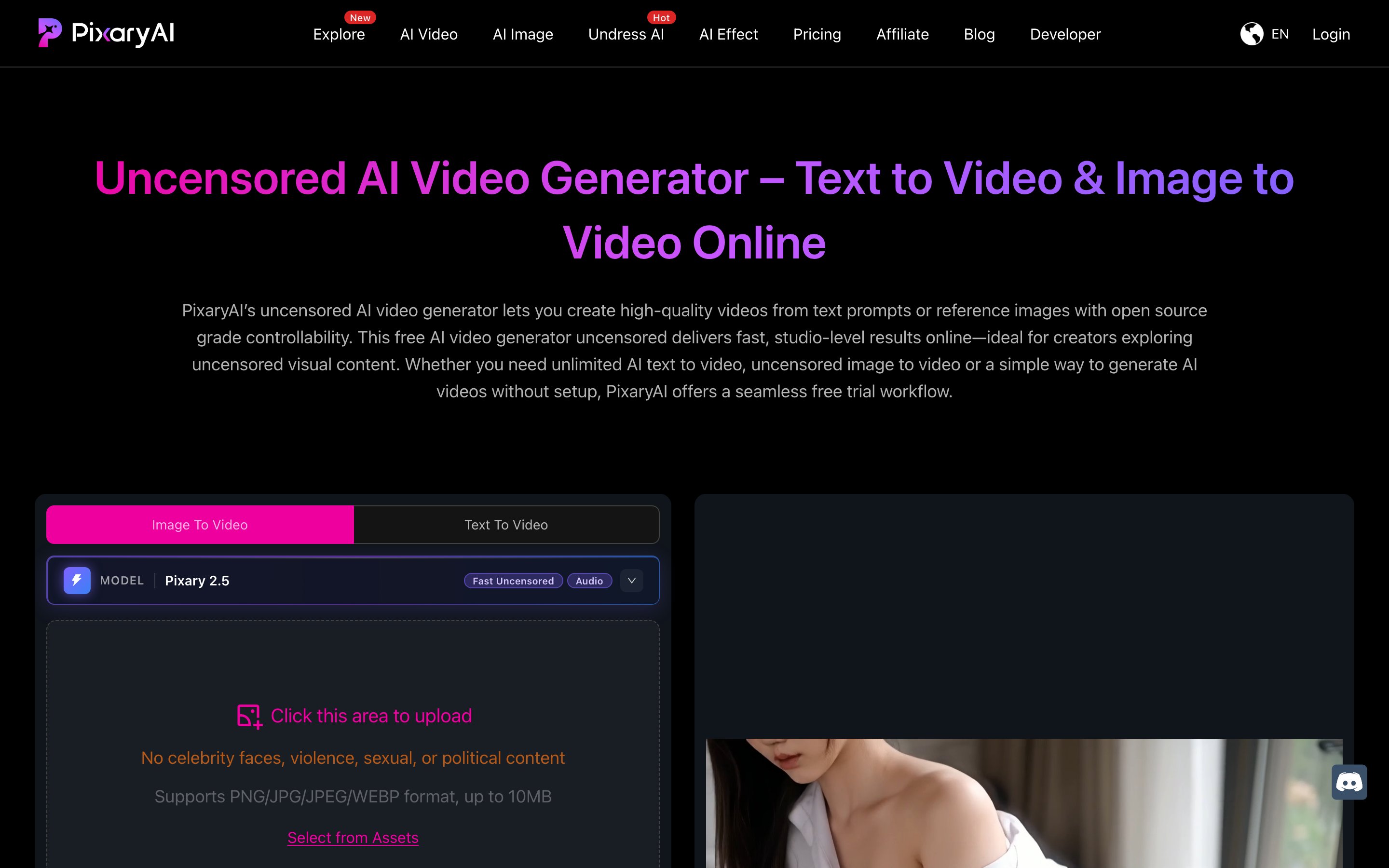
The homepage does not make you hunt. You open pixaryai.com and the generator is already there: model picker, prompt field capped at 2,000 characters, image upload if you want image-to-video or image-to-image, aspect ratio that follows your still, Generate. Free generation times per day shows as a simple counter, one shot before Upgrade starts looking attractive. No install. No mandatory account just to taste the output. Hit generate and the job runs in-browser.
What appears is the full vertical strip of the product, not a demo toy. AI Video routes to Pixary 2.5, 2.5 Pro, 2.6, 2.7, Wan 2.5 Unlimited, Wan 2.6, Wan 2.6 Flash, Wan 2.7, Seedance 1.5 Pro, Seedance 2.0, Grok. AI Image covers Pixary 2.5 Lite through 2.7 Pro, the Anime 1.0 model, Wan image lines, Qwen, Grok. Undress AI, Face Swap, AI Effect, and Explore sit in the same chrome. Profile and Upgrade live in the corner. The site reads like a working studio, not a landing page with three screenshots and a prayer.
Speed is the first sensory hit. Short clips and stills come back fast enough that iteration feels like stirring a drink, not waiting on a render farm. Premium unlocks faster queues and no-watermark exports; the free lane is honest about being a single daily poke. You feel the ceiling immediately, which is exactly when the model list starts looking like a wine list instead of a wall.
Inside pixary ai: Pixary 2.7, Wan motion, and the uncensored full stack
This is the meat. Pixary AI is not one model wearing a sexy hat. It is a rack of purpose-built engines that share credits, privacy rules, and an adult-forward posture.
Start with stills if that is how you think. Pixary Image 2.5 Lite is the quick uncensored text-to-photo / image-to-image lane, Fast, direct, good for bulk ideation. Step up through 2.5, 2.6, into PixaryAI 2.7 and 2.7 Pro and the product stops being a randomizer and starts behaving like a character desk. 2.7 is built for identity: upload up to fourteen reference images, lock face, outfit, pose and style across panels, then inpaint, outpaint, swap backgrounds, strip or replace objects, and push finished frames to 4K. Same woman across a comic page, a product set, a private storyboard, without her jawline mutating every third frame. Long prompts and structured multi-panel layouts stick better here than on the Lite path. That is the difference between “nice nude” and “this is her, again, exactly, bent the way you asked.”
Anime lives on its own rail: Pixary Anime Image 1.0, uncensored text-to-anime for fictional adult characters, erotic illustration, girlfriend-concept art, hentai-style drafts. Prompt for pose, outfit, lighting, mood; generate variations; refine with the editor controls. Public marketing stays clean; the private workflow does not pretend you came for landscapes.
Video is where the stack flexes. Pixary 2.5 Fast Uncensored with Audio is the everyday text-to-video / image-to-video workhorse on the homepage. Pixary 2.5 Pro adds the features that separate a tease from a clip you keep: native audio in the same pass, lip sync, talking-avatar motion, voiceover, optional subtitles, 1080p output, multi aspect ratio (16:9, 9:16, 1:1, 4:5) for Shorts, Reels, TikTok, and square filth. Image-to-video keeps subject identity while adding camera push, body motion, and ambience. Anime and cartoon modes sit beside the photoreal path so you can push hentai-style motion without leaving the same generator. Generation on short spicy drafts often lands under a minute when the queue is kind, fast enough that you re-roll for the moan timing instead of settling.
Wan 2.5 is positioned as the unlimited-leaning uncensored route for text-to-video and image-to-video with stronger multimodal continuity and adult prompt tolerance inside legal bounds. Wan 2.6 brings more cinematic camera language, scene transitions, multi-shot narrative flow; site material calls out sequences out to around fifteen seconds with coherent lighting and motion across the span. Wan 2.6 Flash, Wan 2.7, Seedance 1.5 Pro, Seedance 2.0, and Grok expand the menu further so you can trade speed against fidelity without opening five other tabs. Open-source-rooted Wan behavior is part of the pitch: more predictable motion physics, less black-box surprise when you ask for specific camera grammar.
Clothing edit sits in the generation path on several video workflows, outfit swap or adjust before or as you animate, which cuts the stupid loop of “generate nude, hate the pose, start over.” Undress and face swap are full sibling products, not afterthought buttons. Explore shows user video and image cases so you can steal composition ideas without leaving the domain. Everything burns the same credit economy. Everything claims private processing, no training on your uploads, and no public dump of your jobs. That is the studio promise: one wallet, many dirty tools, closed door.
Quality tracks the model you pick. Skin on the stronger image lanes holds pore-level attention and lighting that looks paid-for rather than pasted. Body consistency on Wan and Pixary Pro video is the usual war, limbs and cloth still argue on ambitious motion, but identity hold on faces and torsos is strong enough for series work when you feed references. Audio sync on 2.5 Pro is the quiet luxury: mouth shapes that actually chew the line instead of vaguely flapping. You are not getting a Hollywood NLE. You are getting a generator that respects the filthy brief and ships an MP4 you can drop into an editor without scrubbing a logo first.
Undress AI: photo, video, and the male path in one hub
Most clothes-removal toys are either still-only or video-only, and male anatomy is an afterthought that turns into melted plastic. PixaryAI’s Undress AI hub puts three lanes on one floor: AI photo undress, undress AI video, and a dedicated male video undress pipeline.
Upload a still. The engine reads fabric, pose, lighting, and rebuilds skin and volume underneath instead of smearing a nude texture on top. Curves follow the original geometry; shadows stay honest. Upload a clip and it works frame-aware so the undress does not jitter like a cheap filter. The male path is tuned for adult male proportions and motion rather than forcing a female-trained prior onto every cock and chest, a small technical mercy that shows up immediately if that is your appetite.
Workflow is stupid-simple: choose photo or video (or male video), upload, generate, preview, download. Free to start, no forced signup to try. Privacy language is explicit, encryption in processing, no public gallery dump, uploads not used for training. Adult creators use it for thumbnail variants and clip passes; artists use it as a nude base before hand finishing; hobbyists use it because the door stays shut. Reviews on the page cluster around 4.9 from thousands of ratings for exactly that combo: photo plus video in one place, natural skin, private by default.
It is not magic. Busy patterns, extreme angles, and heavy occlusion still demand a second pass. But when it lands clean, you skip an entire external undresser subscription and keep the file inside the same credit balance you use for generation.
Face swap porn tools, batch jobs, and gender swap
Face Swap is built for adult media on purpose: image face swap, porn video face swap, GIF face swap, multi-person, batch, and gender swap AI in one workspace. Upload source media (photo, short clip, GIF, longer video). Add a target face from upload or templates. The model maps landmarks, blends skin tone and lighting, and tracks expression through motion so the swap does not freeze into a sticker.
Multi-person handles group stills without running six separate jobs. Batch burns through collections when you are building a themed pack. Gender swap is there for playful or fetish rewrites without a second app. Output is download-ready; the site pushes realistic blending as the differentiator, jaw, pores, and catchlights that survive a pause frame.
Again, free entry exists; serious volume moves to credits and premium speed. For fantasy edits, private custom clips, and creator parody work, this is the kind of tool that replaces a desktop deepfake toolchain you never wanted to maintain. Pair it with image-to-video and you can birth a face, put it on a body, then make her move and talk, all without leaving the domain.
AI Effect and the 100+ template drawer
AI Effect is the seasoning rack: more than a hundred image and video effect templates, cinematic motion, artistic filters, trending looks, style transfers. Drop a base frame or clip, apply, export. It is not the reason you open the site at 1 a.m. but it is how a raw generation becomes a finished teaser without bouncing to a third editor. Creative teams and solo posters both eat this for volume.
One-off Payment, Buy Credits, and what the free tier actually gives
Pricing is the adult part of the adult product. PixaryAI runs one-time payments only. No monthly subscription. No auto-renewal. Two clear shapes:
One-off Payment unlocks premium access for 30 days, full tool reach, faster generation, no-watermark outputs, the premium model performance you actually came for. Ideal when you have a sprint: a content drop, a personal binge, a client week.
Buy Credits drops a balance into your account that stays valid for a year. Create when you want; the stack does not evaporate because a calendar flipped. Site material and checkout framing put entry packs in the neighborhood of ten dollars for hundreds of credits (Lite-style framing around $10 / 320 credits appears across their own comparison copy), with larger one-time credit packages available when you burn video hard. An internal article even flags a low single-digit dollar upgrade path for higher resolution and longer video on certain lanes. Pay with Visa, Mastercard, Apple Pay, major crypto (BTC / ETH / USDT), or Telegram rails. Credits land after payment; the FAQ is blunt about validity windows and the no-renewal rule.
Free tier is real but tight: one free generation per day across the generators you can reach without paying, enough to judge motion, skin, and prompt obedience. Watermarks and speed caps live on the unpaid side; premium clears them. Commercial-use language on image pages is creator-friendly relative to watermarked freemium traps elsewhere. The platform claims half a million-plus users, ten million-plus images and videos created, and ratings clustering 4.8-4.9 across feature pages, social proof, not a substitute for your own test render.
What paying unlocks is not a different product. It is the same kitchen with the burners all lit: priority queue, clean exports, the heavier models (2.7 reference stacks, 2.5 Pro audio and 1080p, longer Wan narrative clips), and the freedom to chain undress → face swap → image-to-video without watching the daily counter hit zero. One-off for the month you are feral. Credits for the year you stay casually depraved. Either way you are not married to a subscription that outlives your kink cycle.
The one free pass, spent properly
Remember that single free generation per day. On a lesser site it is a crippled sample. On PixaryAI it is a key that opens a room full of named engines, Pixary 2.7 locking fourteen references into one consistent body, 2.5 Pro lip-syncing filthy audio onto 1080p vertical, Wan stretching a multi-shot scene toward fifteen coherent seconds, Undress stripping photo and video including a real male path, Face Swap batching fantasy faces onto motion, Effects finishing the frame. Spend the free shot on the meanest prompt you actually care about. If the skin holds and the motion obeys, One-off Payment or Buy Credits is not an upsell. It is restocking the bar.
Pixary AI earns the money tonight because it refuses to be only an image box, only a video toy, or only an undresser. It is the uncensored bench where those jobs share credits, privacy, and a browser tab, and the bill ends when you say it ends.